An offer is one merchant’s listing for a product. If three stores sell the same sweater, that product has three offers. Because retailers may sell the same product at different prices, price lives on the offer, not the product. Same goes for buy URLs.

What’s on an offer

Example: new and used offers

The same canonical product can have a new offer from the brand and a lower-priced used offer from a resale retailer:

How to display offers

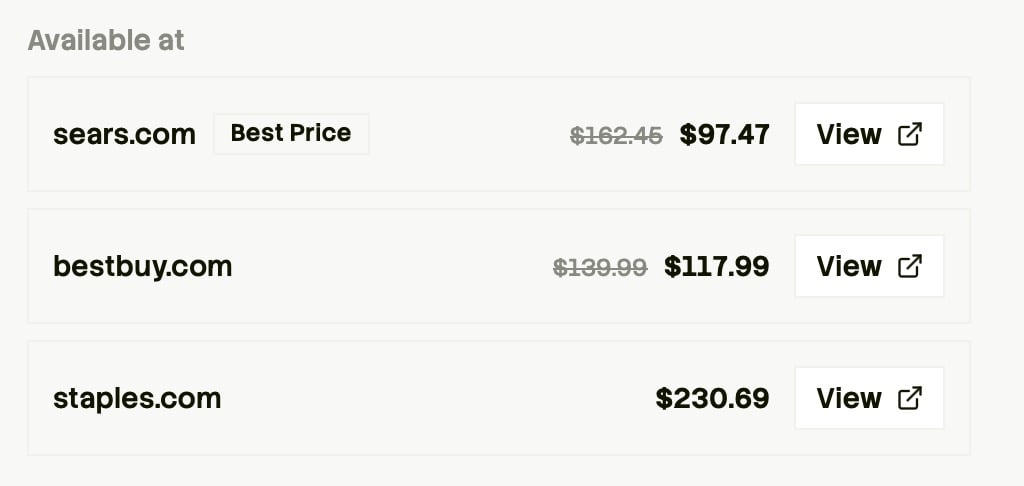
For most shopping experiences, we recommend showing all offers. This lets shoppers compare retailers and choose the price that works best for them. An offer comparison lists Sears at $97.47 as the best price, Best Buy at $117.99, and Staples at $230.69; each row has a View link to buy from that retailer. You can narrow that list to offers in new condition, from selected retailers, or with a high max_commission_rate
Filters that apply to offers

These search filters match against offers, not the product: How matching works: a product passes if at least one offer matches all your filters. When you combine filters — say under $50, in stock, and from Target — that one offer must satisfy all of them. Matching products still return every offer, including ones that didn’t match. To show only matching listings in your experience, you can filter product.offers on your end.

Commissions

When max_commission_rate > 0, the offer can earn commission. See Commissions.