> ## Documentation Index
> Fetch the complete documentation index at: https://docs.trychannel3.com/llms.txt
> Use this file to discover all available pages before exploring further.
# Lovable
> Build and ship a real shopping app on Lovable in six steps — describe it in prompts, connect Channel3, publish, and start earning. Worked example: KitDen.
[Lovable](https://lovable.dev) builds your app from plain prompts — you describe it, it ships it. Adding Channel3 takes a handful of prompts: real product search, drop-in shopping UI, and automatic monetization, with no SDK wrestling.
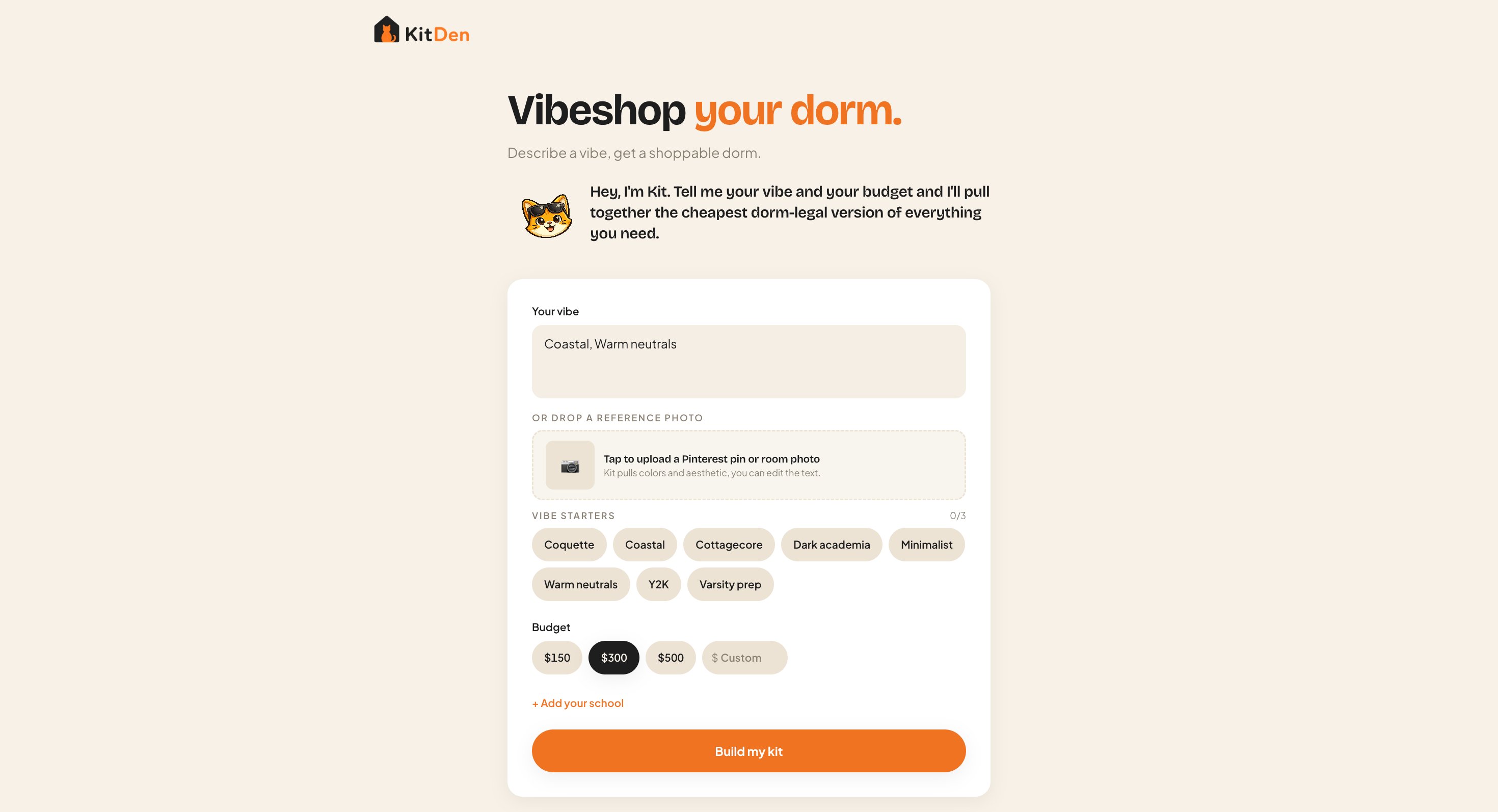
This guide builds one end to end, using **KitDen** — an AI room-kit builder ([see it live](https://kitden.lovable.app)) — as the example.
 ## What you can build
Any of these is a weekend on Lovable. KitDen is the worked example below; the same six steps build the rest.
Vibe + budget → a complete, buyable room. (This is KitDen.)
Occasion + recipient + budget → curated, buyable gift picks.
A few inputs → a cohesive, shoppable outfit set.
Paste an inspiration image → similar buyable products via Image Search.
A hosted shopping assistant in a chat bubble — zero code (see the optional
step).
## Build a shopping app in 6 steps
From zero to a live, earning app. Every step is a prompt.
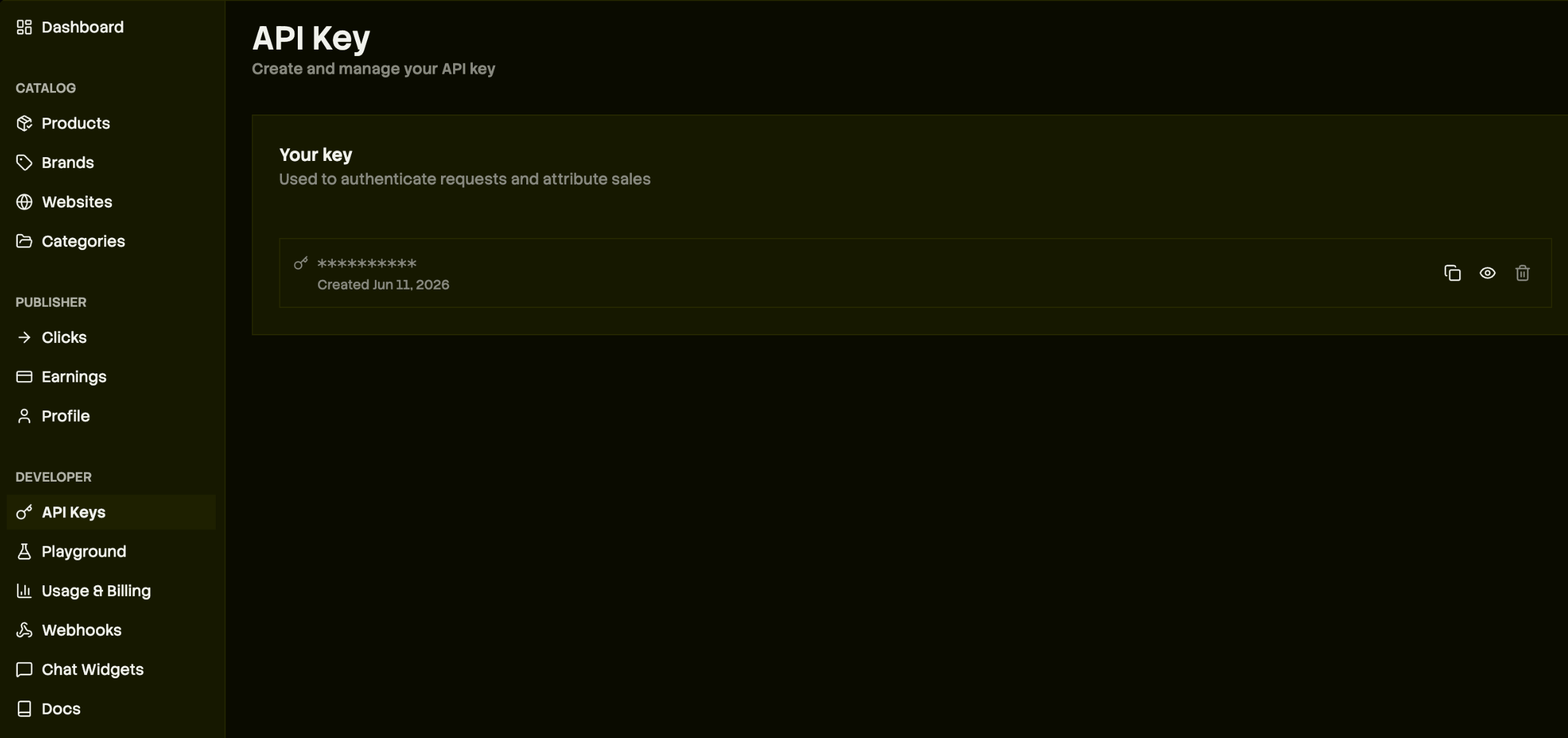
Create a free [Channel3 account](https://trychannel3.com/sign-up) and copy your key from the [API keys page](https://trychannel3.com/dashboard/api) — you'll paste it once, in step 3. Then start a new project at [lovable.dev](https://lovable.dev).
## What you can build
Any of these is a weekend on Lovable. KitDen is the worked example below; the same six steps build the rest.
Vibe + budget → a complete, buyable room. (This is KitDen.)
Occasion + recipient + budget → curated, buyable gift picks.
A few inputs → a cohesive, shoppable outfit set.
Paste an inspiration image → similar buyable products via Image Search.
A hosted shopping assistant in a chat bubble — zero code (see the optional
step).
## Build a shopping app in 6 steps
From zero to a live, earning app. Every step is a prompt.
Create a free [Channel3 account](https://trychannel3.com/sign-up) and copy your key from the [API keys page](https://trychannel3.com/dashboard/api) — you'll paste it once, in step 3. Then start a new project at [lovable.dev](https://lovable.dev).
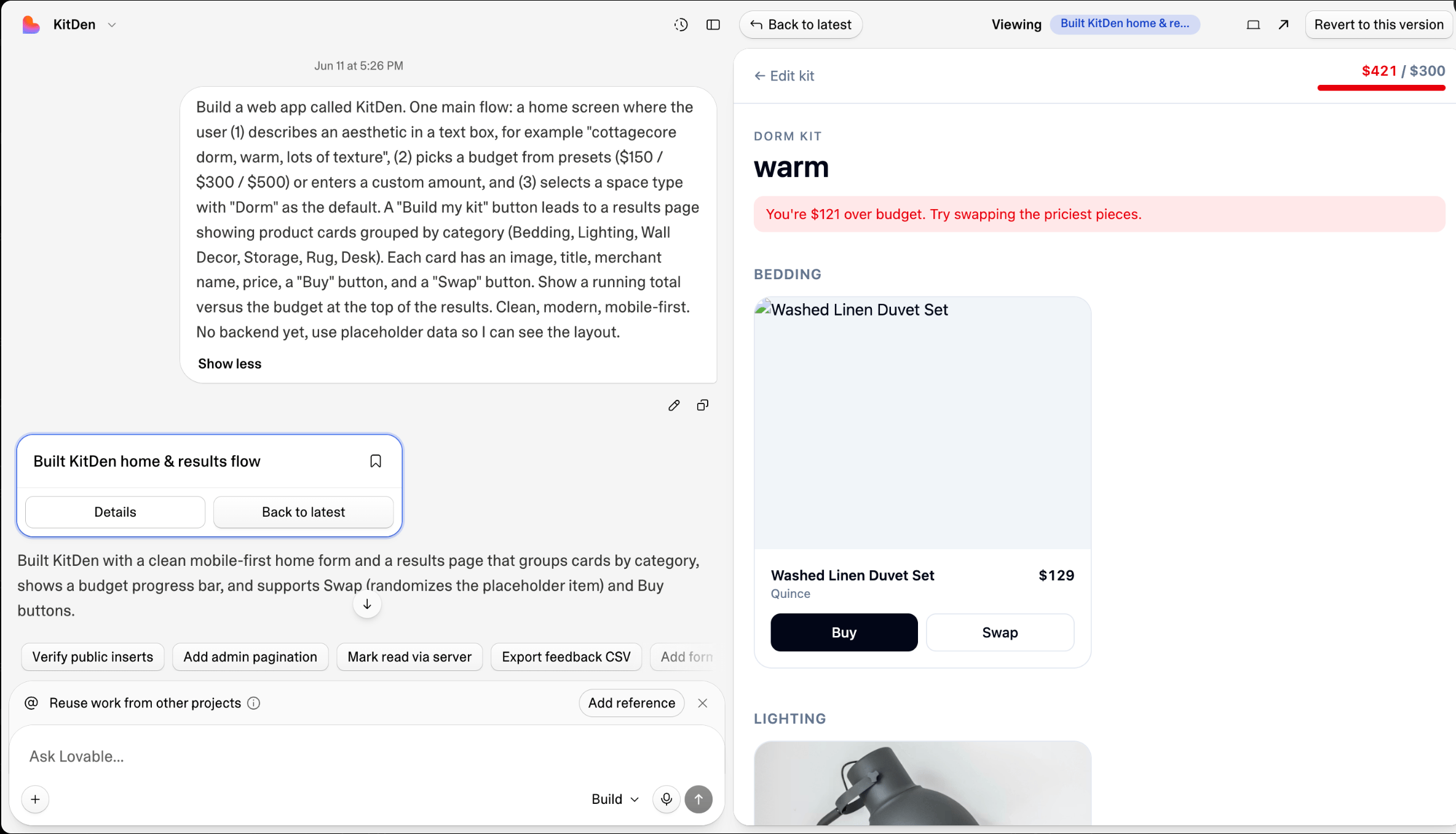
 Describe the whole flow once, with placeholder data, so you can see the shape before wiring anything real.
```text theme={null}
Build a web app called KitDen. Home screen: a text box to describe an aesthetic, budget presets ($150 / $300 / $500 + custom), and a "Build my kit" button that leads to a results page of product cards grouped by category (Bedding, Lighting, Wall Decor, Storage, Rug, Desk) — each with image, title, merchant, price, Buy, and Swap, plus a running total vs. budget. Mobile-first. Use placeholder data for now.
```
Describe the whole flow once, with placeholder data, so you can see the shape before wiring anything real.
```text theme={null}
Build a web app called KitDen. Home screen: a text box to describe an aesthetic, budget presets ($150 / $300 / $500 + custom), and a "Build my kit" button that leads to a results page of product cards grouped by category (Bedding, Lighting, Wall Decor, Storage, Rug, Desk) — each with image, title, merchant, price, Buy, and Swap, plus a running total vs. budget. Mobile-first. Use placeholder data for now.
```
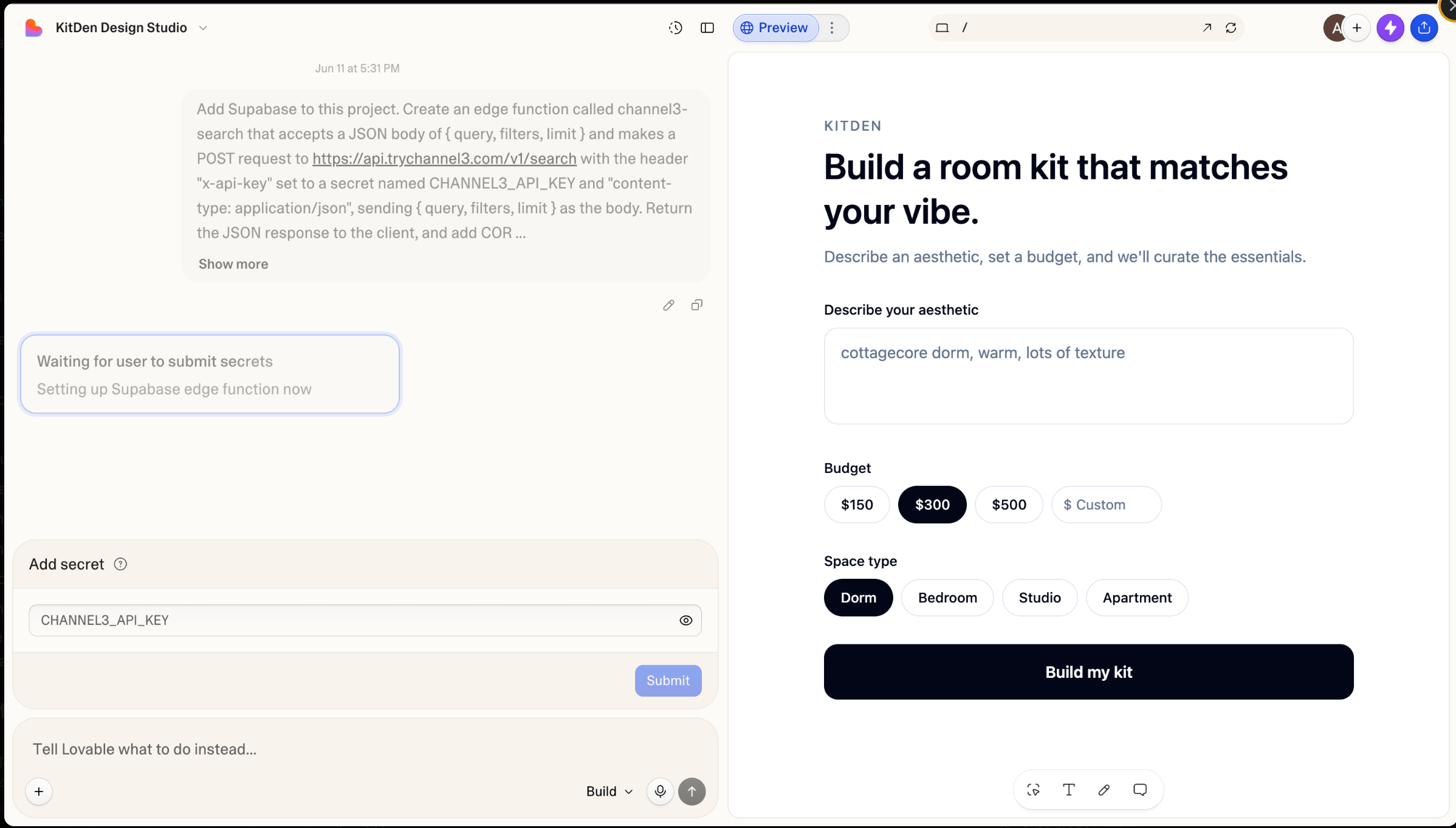
 Lovable Cloud (the built-in backend) is on by default — no separate Supabase signup. Prompt Lovable to add a search function that calls Channel3; when it asks for your key, paste it into the secret dialog. The key lives server-side and never reaches the browser.
```text theme={null}
Add a backend function called channel3-search that takes { query, filters, limit }, POSTs to https://api.trychannel3.com/v1/search with the header x-api-key set to a secret named CHANNEL3_API_KEY, and returns the JSON with CORS enabled. Then wire the results page to render real products — the price is offers[0].price.price and the Buy link is offers[0].url. Only search when the user submits, never on keystroke.
```
Lovable Cloud (the built-in backend) is on by default — no separate Supabase signup. Prompt Lovable to add a search function that calls Channel3; when it asks for your key, paste it into the secret dialog. The key lives server-side and never reaches the browser.
```text theme={null}
Add a backend function called channel3-search that takes { query, filters, limit }, POSTs to https://api.trychannel3.com/v1/search with the header x-api-key set to a secret named CHANNEL3_API_KEY, and returns the JSON with CORS enabled. Then wire the results page to render real products — the price is offers[0].price.price and the Buy link is offers[0].url. Only search when the user submits, never on keystroke.
```
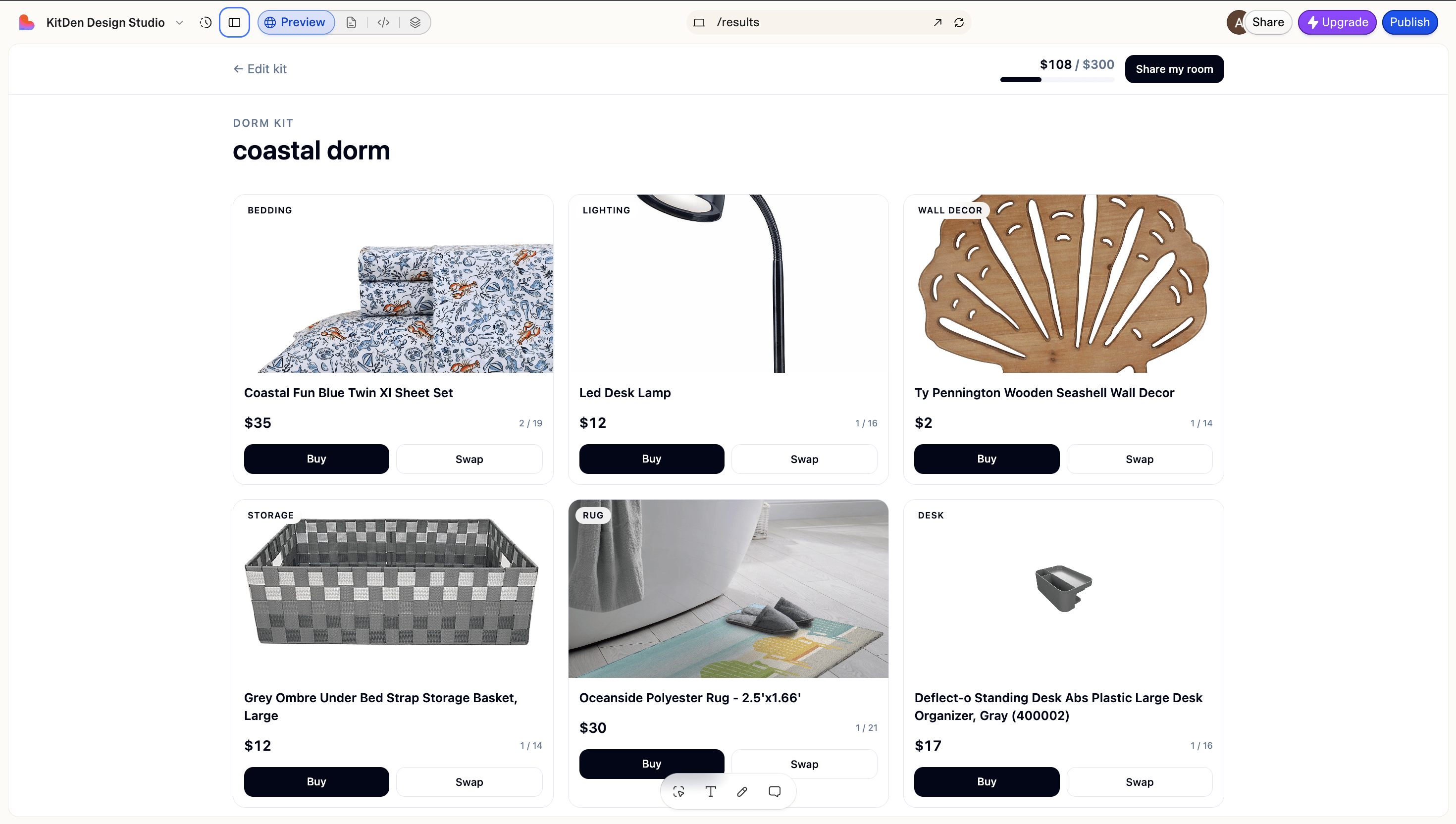 A search returns a flat list; a kit is one cohesive pick per category, under budget. Lovable's built-in AI handles that — no API key, runs server-side.
```text theme={null}
Add curation with Lovable's built-in AI (no API key, server-side). From the aesthetic, have the AI plan a Channel3 search per category, call channel3-search per query, then pick the best item per category within budget with a one-line reason for each. Show the reasons under each card and a short overall summary.
```
A search returns a flat list; a kit is one cohesive pick per category, under budget. Lovable's built-in AI handles that — no API key, runs server-side.
```text theme={null}
Add curation with Lovable's built-in AI (no API key, server-side). From the aesthetic, have the AI plan a Channel3 search per category, call channel3-search per query, then pick the best item per category within budget with a one-line reason for each. Show the reasons under each card and a short overall summary.
```
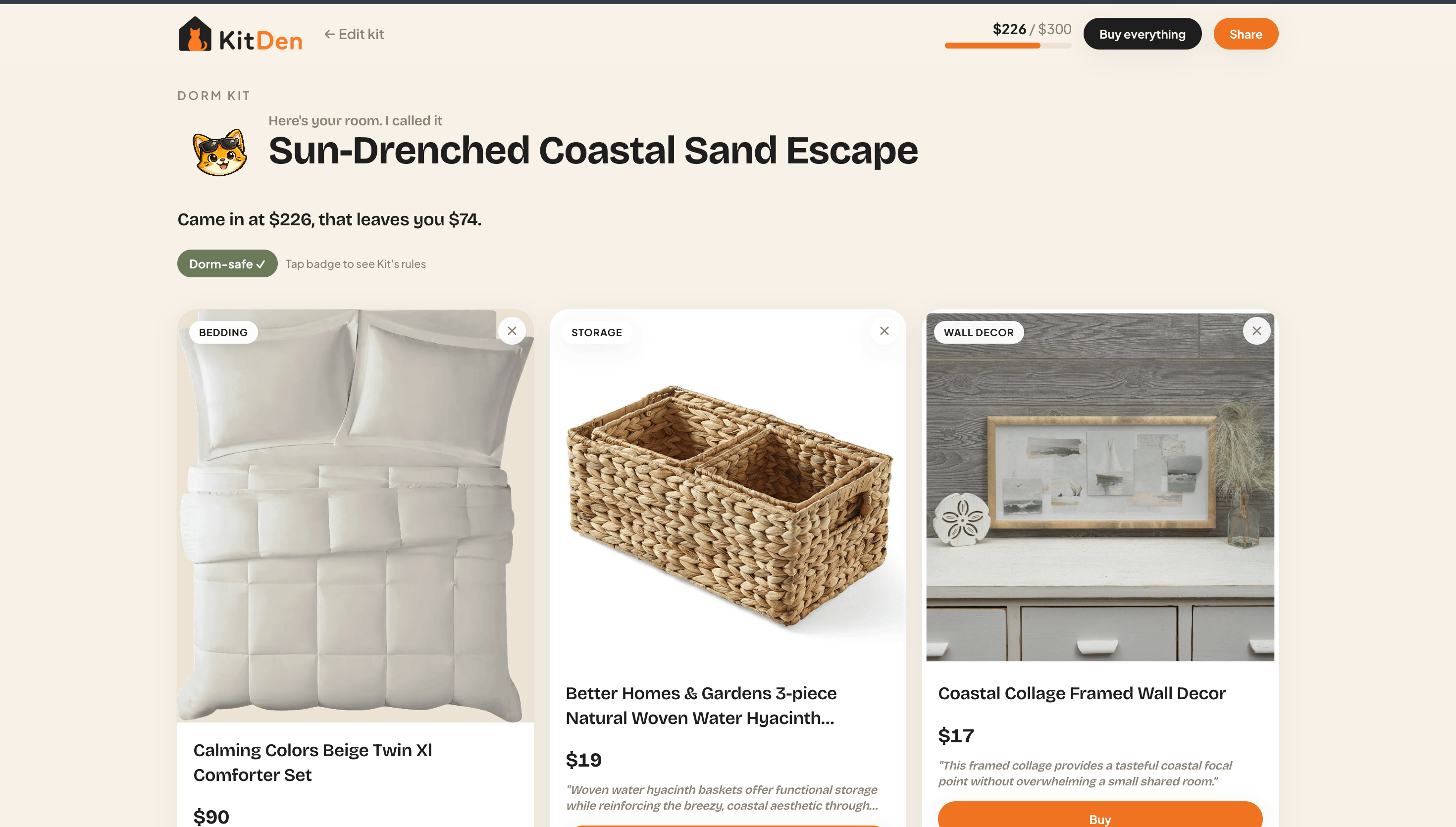 Catalog images and titles aren't always perfect (an occasional retail-box shot or generic title). Spot-check picks before you ship, and use Swap to drop in a cleaner match.
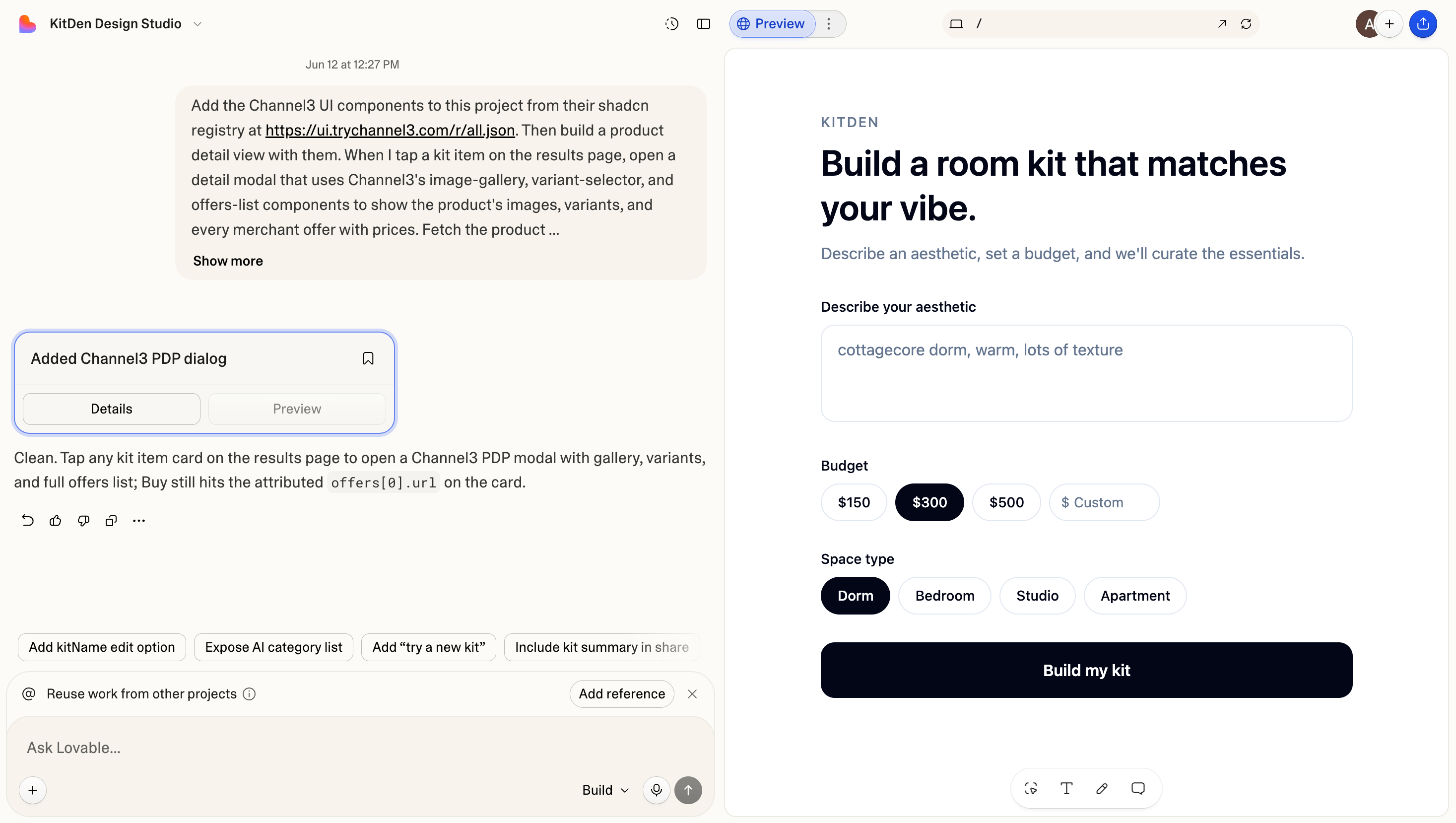
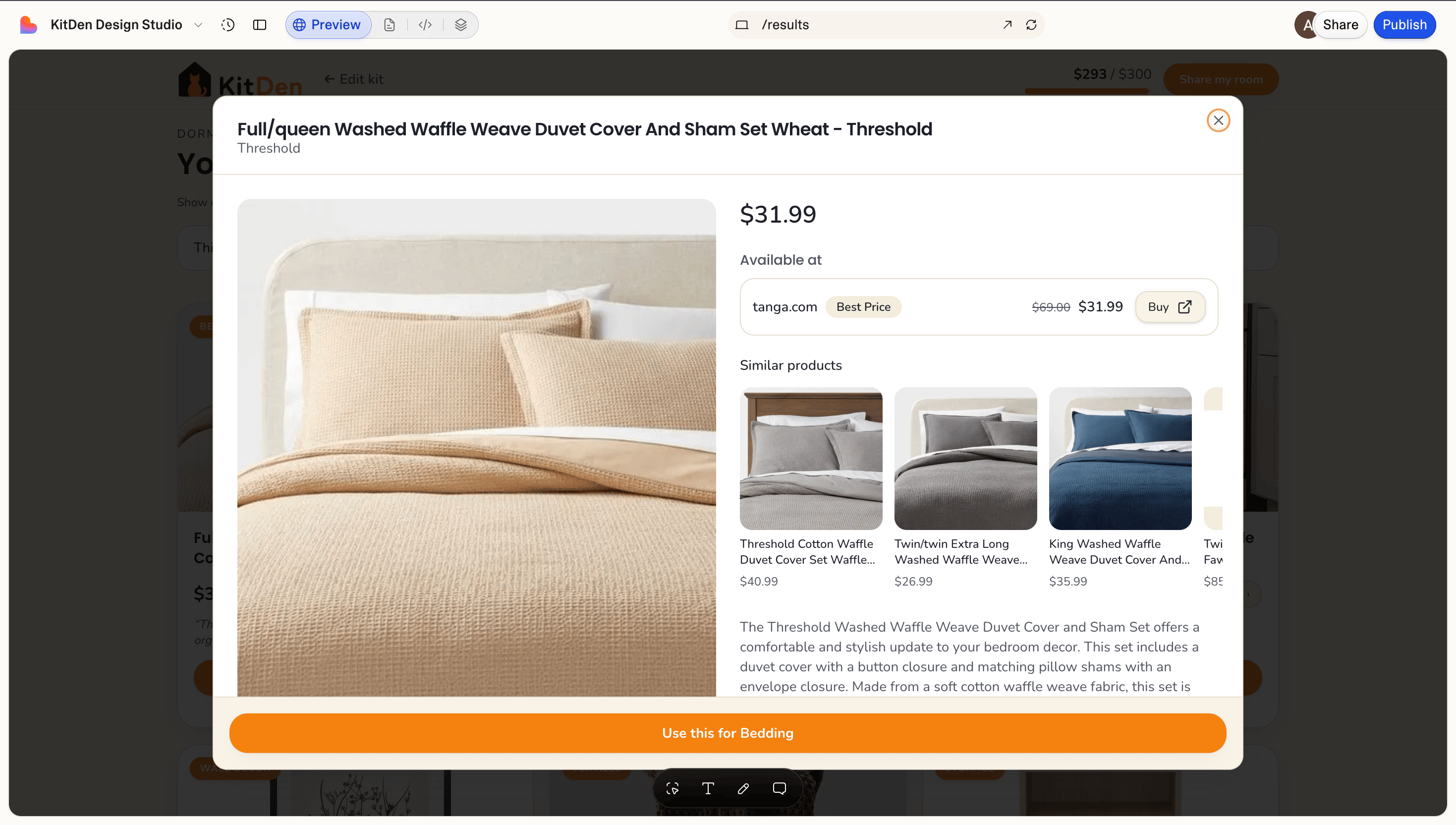
Don't hand-build the hard surfaces — Channel3's components install **by prompt** (Lovable reads the registry URL from your message). The `product-details` block already includes the image gallery, every offer, variants, **price history, and recommendations** — you just feed it the data.
```text theme={null}
Add the Channel3 UI components from their shadcn registry at https://ui.trychannel3.com/r/all.json, then build a product detail modal with the product-details block. When I tap a kit item, fetch its detail server-side — add product-detail, price-history, and similar-products actions to channel3-search — and pass the data in as props so the gallery, every offer, price history, and recommendations all render. The components are presentational and never see the key. Buy links to offers[0].url.
```
Catalog images and titles aren't always perfect (an occasional retail-box shot or generic title). Spot-check picks before you ship, and use Swap to drop in a cleaner match.
Don't hand-build the hard surfaces — Channel3's components install **by prompt** (Lovable reads the registry URL from your message). The `product-details` block already includes the image gallery, every offer, variants, **price history, and recommendations** — you just feed it the data.
```text theme={null}
Add the Channel3 UI components from their shadcn registry at https://ui.trychannel3.com/r/all.json, then build a product detail modal with the product-details block. When I tap a kit item, fetch its detail server-side — add product-detail, price-history, and similar-products actions to channel3-search — and pass the data in as props so the gallery, every offer, price history, and recommendations all render. The components are presentational and never see the key. Buy links to offers[0].url.
```
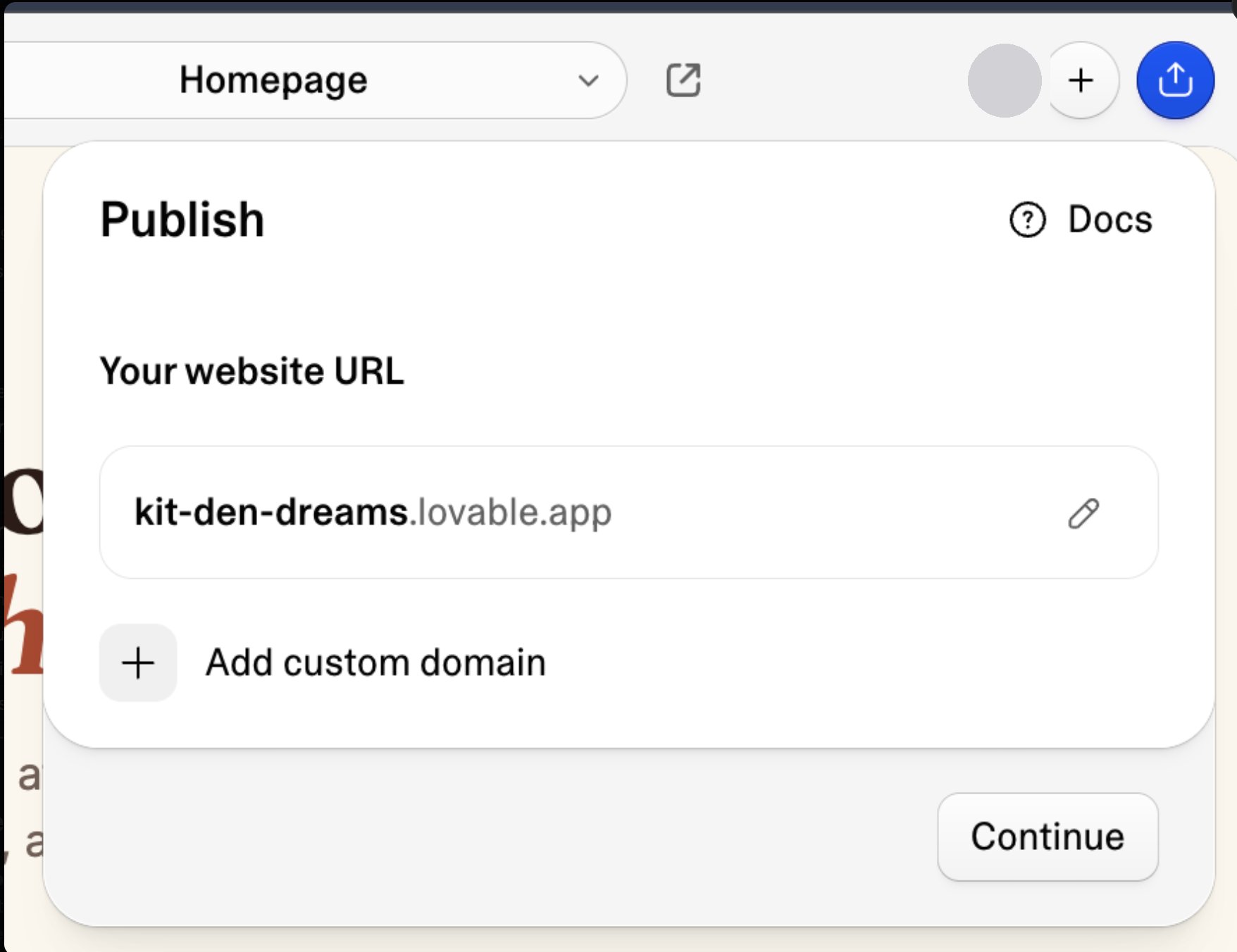
 Hit **Publish** (top right), pick a URL, and your app is live. Monetization was automatic the whole time: because search ran with your API key, every `offers[0].url` is an attributed link — you earn when shoppers click through to buy. Nothing to add.
```text theme={null}
No prompt needed — click Publish, choose your URL, and go live.
```
Hit **Publish** (top right), pick a URL, and your app is live. Monetization was automatic the whole time: because search ran with your API key, every `offers[0].url` is an attributed link — you earn when shoppers click through to buy. Nothing to add.
```text theme={null}
No prompt needed — click Publish, choose your URL, and go live.
```
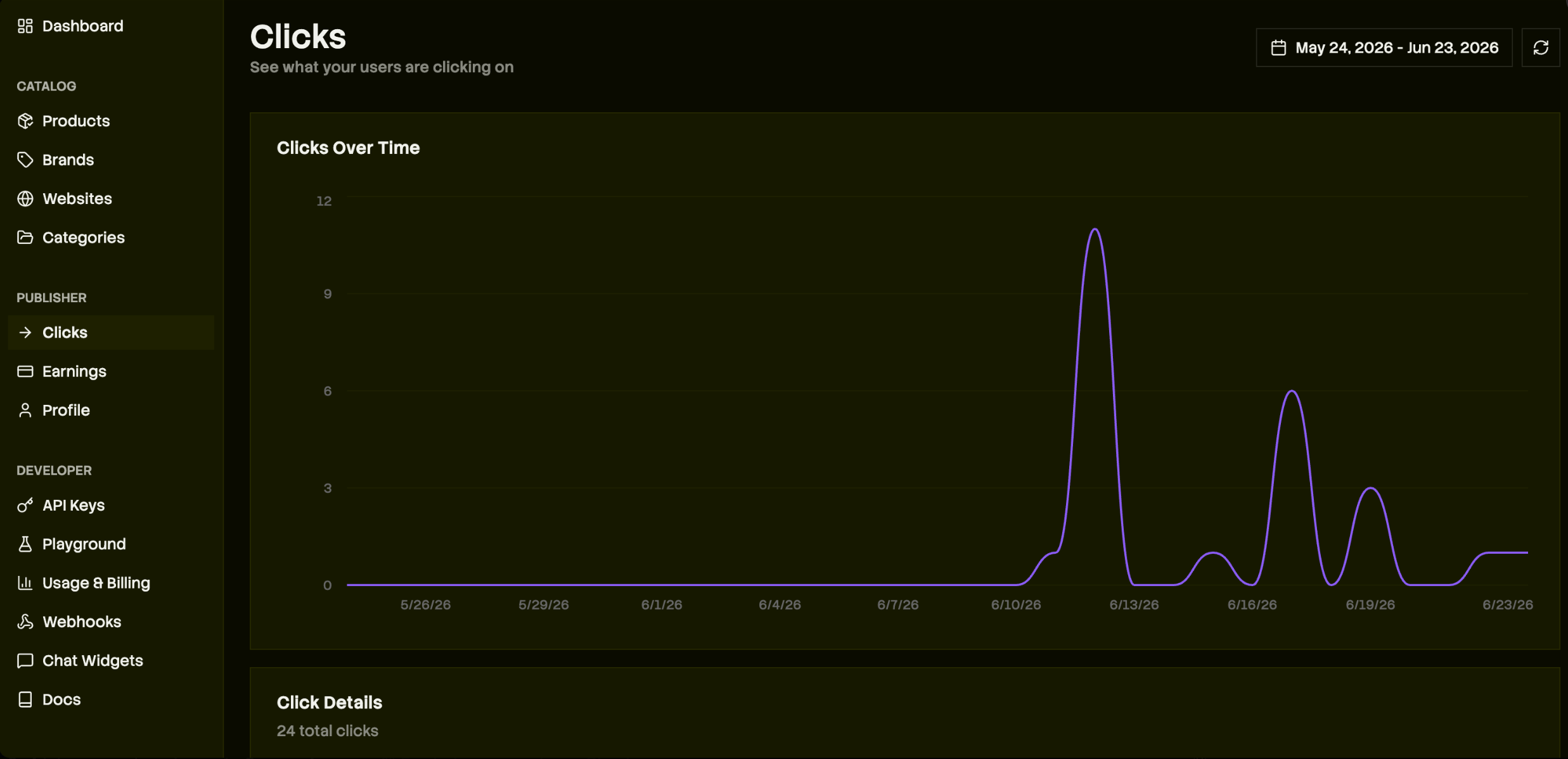 Any result with an offer where `max_commission_rate > 0` is monetizable — Channel3 has relationships with thousands of brands. Earnings clear after the retailer's return window and pay out via Stripe; complete identity verification in the dashboard so commissions aren't withheld. See [Pricing](/pricing) for the split.
## Build faster with the Channel3 API skill
Lovable is great for UI and scaffolding, but wiring Channel3 search, lookup, and filters is faster with a coding agent that knows the API. Install the [Channel3 API skill](/skills/channel3-api) in Cursor, Claude Code, or another terminal agent:
```bash theme={null}
npx skills add channel3-ai/skills --skill channel3-api
```
Then prompt it alongside Lovable — for example: *"Using the Channel3 API skill, add a channel3-search edge function and wire the results page to real product data."* Your terminal agent handles API integration; Lovable keeps iterating on the app.
## Optional: add a chat concierge (zero code)
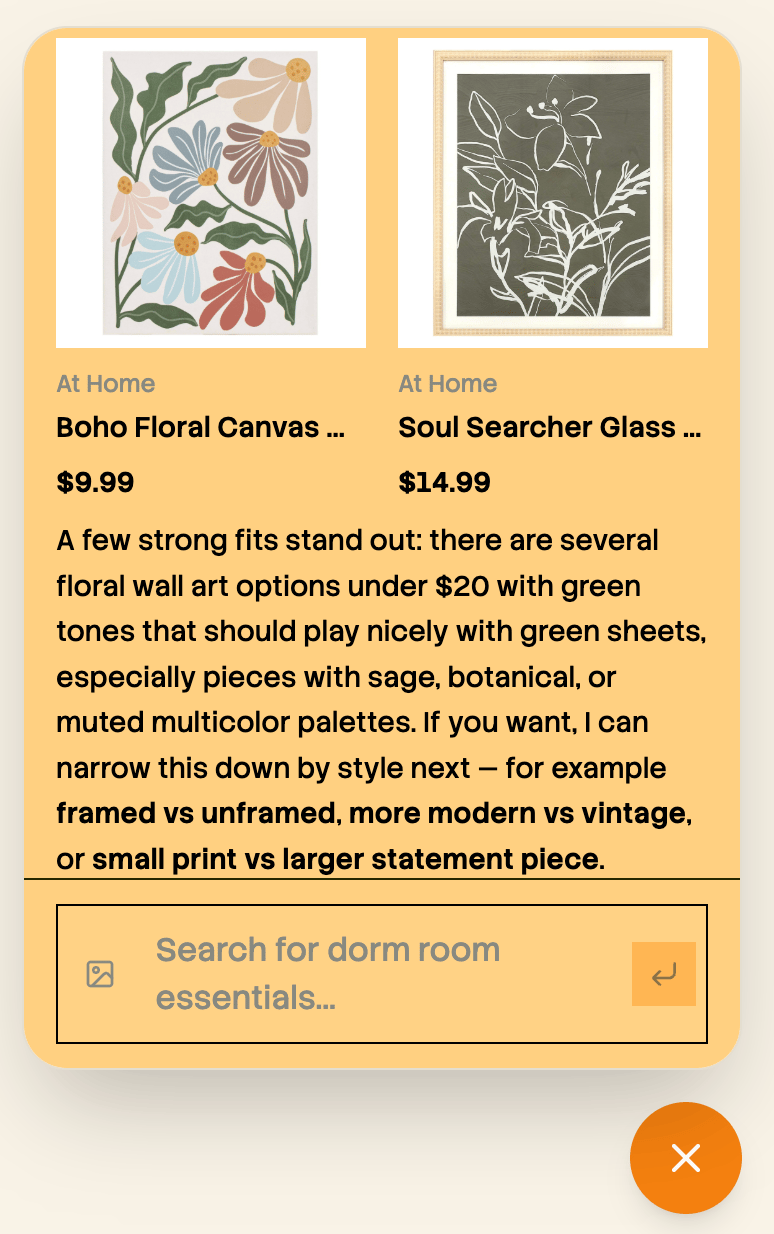
Want a shopping assistant instead of (or alongside) the builder? The hosted widget handles conversation, product matching, and checkout links — you configure a persona in the dashboard and paste one iframe.
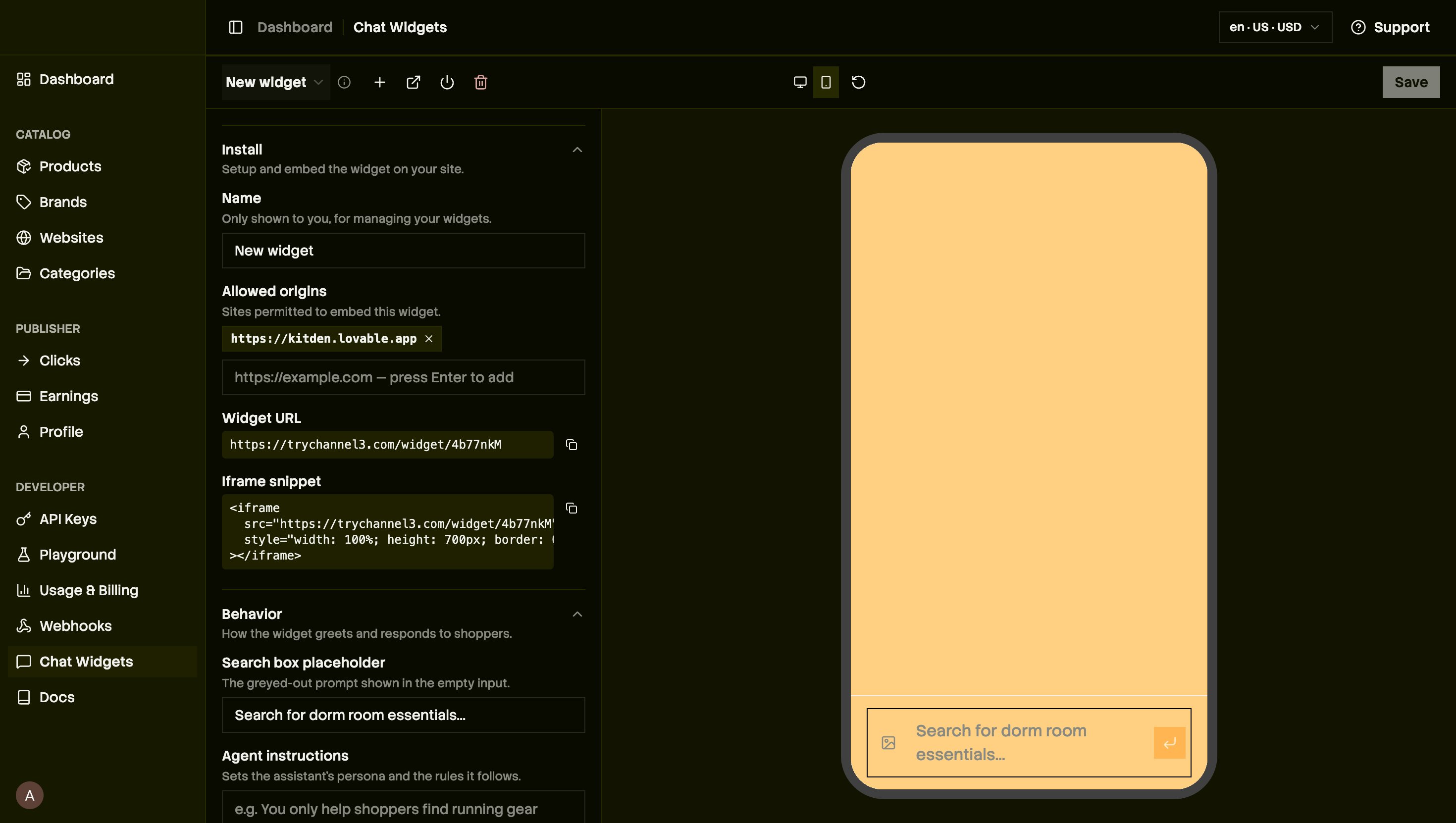
In the dashboard's **Chat Widgets**, name it, set **Allowed origins** to your app's domain (e.g. `https://kitden.lovable.app`), and write the **Agent instructions** (its persona and rules, e.g. "only suggest dorm-safe items under budget").
Any result with an offer where `max_commission_rate > 0` is monetizable — Channel3 has relationships with thousands of brands. Earnings clear after the retailer's return window and pay out via Stripe; complete identity verification in the dashboard so commissions aren't withheld. See [Pricing](/pricing) for the split.
## Build faster with the Channel3 API skill
Lovable is great for UI and scaffolding, but wiring Channel3 search, lookup, and filters is faster with a coding agent that knows the API. Install the [Channel3 API skill](/skills/channel3-api) in Cursor, Claude Code, or another terminal agent:
```bash theme={null}
npx skills add channel3-ai/skills --skill channel3-api
```
Then prompt it alongside Lovable — for example: *"Using the Channel3 API skill, add a channel3-search edge function and wire the results page to real product data."* Your terminal agent handles API integration; Lovable keeps iterating on the app.
## Optional: add a chat concierge (zero code)
Want a shopping assistant instead of (or alongside) the builder? The hosted widget handles conversation, product matching, and checkout links — you configure a persona in the dashboard and paste one iframe.
In the dashboard's **Chat Widgets**, name it, set **Allowed origins** to your app's domain (e.g. `https://kitden.lovable.app`), and write the **Agent instructions** (its persona and rules, e.g. "only suggest dorm-safe items under budget").
 Copy the generated iframe and drop it into the chat — no edge function, no key on the client.
```text theme={null}
Add this chat widget to the site:
```
Copy the generated iframe and drop it into the chat — no edge function, no key on the client.
```text theme={null}
Add this chat widget to the site:
```
 Teach your coding agent the Channel3 API for faster integration.
The React component catalog and shadcn registry.
Credits, free tier, and commission split.
Questions or a brand request? We're happy to help.
Building with Cursor or Claude Code alongside Lovable? Install the Channel3
API skill in your terminal: `npx skills add channel3-ai/skills --skill
channel3-api`. See [Channel3 API skill](/skills/channel3-api). (Terminal
agents only — not the Lovable chat box.)
Teach your coding agent the Channel3 API for faster integration.
The React component catalog and shadcn registry.
Credits, free tier, and commission split.
Questions or a brand request? We're happy to help.
Building with Cursor or Claude Code alongside Lovable? Install the Channel3
API skill in your terminal: `npx skills add channel3-ai/skills --skill
channel3-api`. See [Channel3 API skill](/skills/channel3-api). (Terminal
agents only — not the Lovable chat box.)