> ## Documentation Index
> Fetch the complete documentation index at: https://docs.trychannel3.com/llms.txt
> Use this file to discover all available pages before exploring further.
# We Built Your Frontend For You
> An open-source, fully-featured Channel3 component library — search, PDPs, hooks, and more
*June 23, 2026 · API Update #7*
Hey Developer,
Pause the API talk for a second — **we just launched [an open-source, fully-featured component library](https://github.com/channel3-ai/channel3-ui)!**
We've built every core component of a shopping experience, from search to a rich product detail view. And, the best part is, if we don't have a component you want, you can contribute to the repo yourself.
This ships as a Shadcn component library. All you have to run is:
```bash theme={null}
npx shadcn@latest add https://ui.trychannel3.com/r/all.json
```
and all of the components and hooks land in your repo as editable, customizable code. **We provide the building blocks, and you customize every aspect of them to fit your app.** We're simply handling the boilerplate — variant selectors, price history graphs, image carousels — so you don't have to. And, they look pretty clean.
We'll dive into everything that shipped below. TLDR: in two lines of code, you can build a fully-featured shopping app.
## Resources + implementation
[Our docs](https://docs.trychannel3.com/ui) have a comprehensive overview. The [README for the repo](https://github.com/channel3-ai/channel3-ui) is well-maintained. And, [the landing page on our website](https://trychannel3.com/developers/ui) shows how easy they are to build with. They even power our interactive chat demo: [trychannel3.com/demos](https://trychannel3.com/demos).
If you hit any snags, [hop into the Discord](https://discord.gg/6J6MjctXrH) and ask. You can also contribute back to the library; it's open-source.
To build with the component library, simply install it into your app with:
```bash theme={null}
npx shadcn@latest add https://ui.trychannel3.com/r/all.json
```
and install the Channel3 skill:
```bash theme={null}
npx skills add channel3-ai/skills --skill channel3-api
```
then ask your agent to build with the Channel3 UI components.
## Blocks
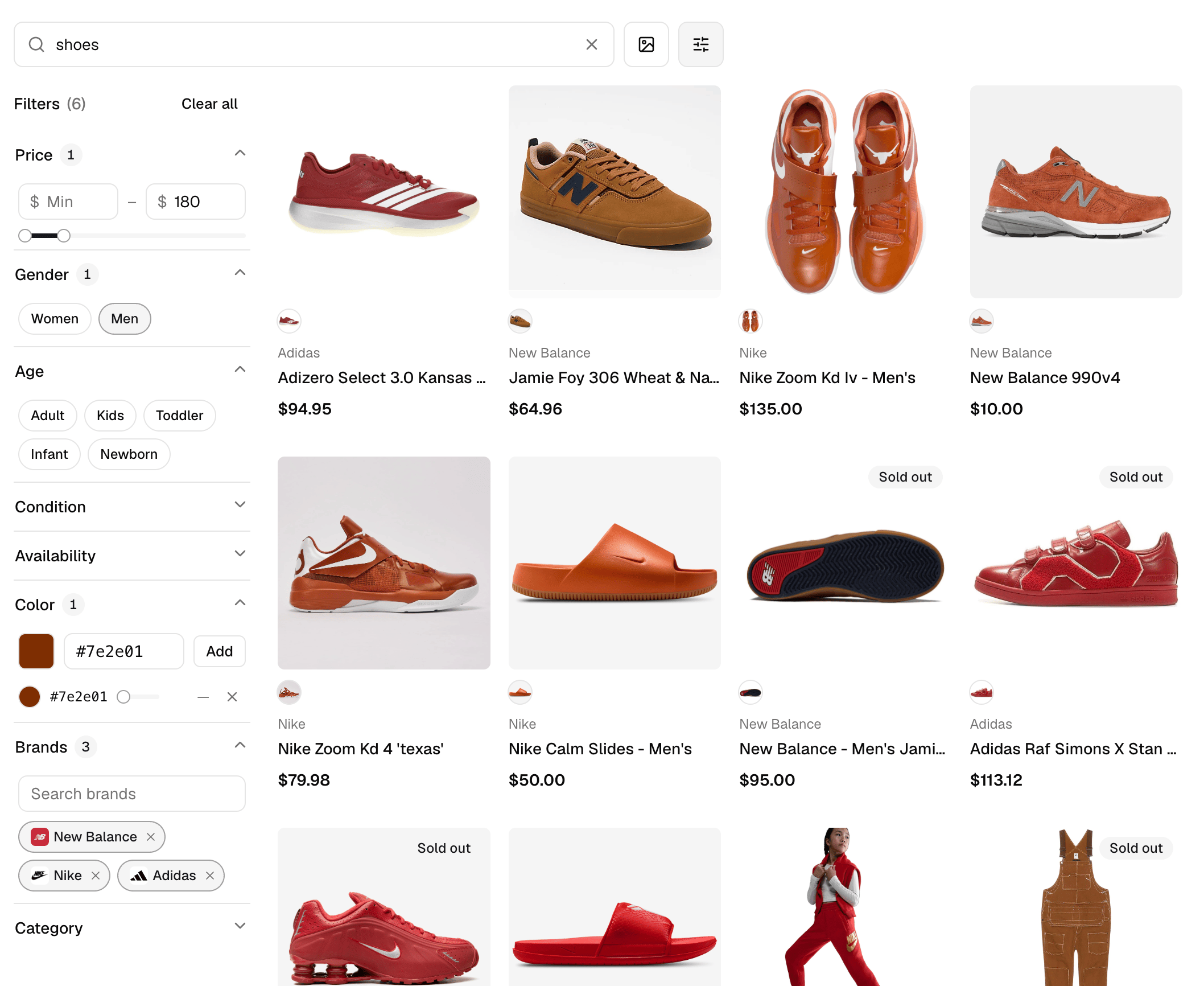
Rather than me telling you how great these are, let me just show you. The top-level components of the library are `product-search` and `product-details`.
`product-search` is a single component for a fully-featured search, including filters and infinitely scrollable results. I love this graphic because it also visualizes how powerful our search has become. Notice the rich brand filters (with logos), and the rust color filter looks fantastic here.
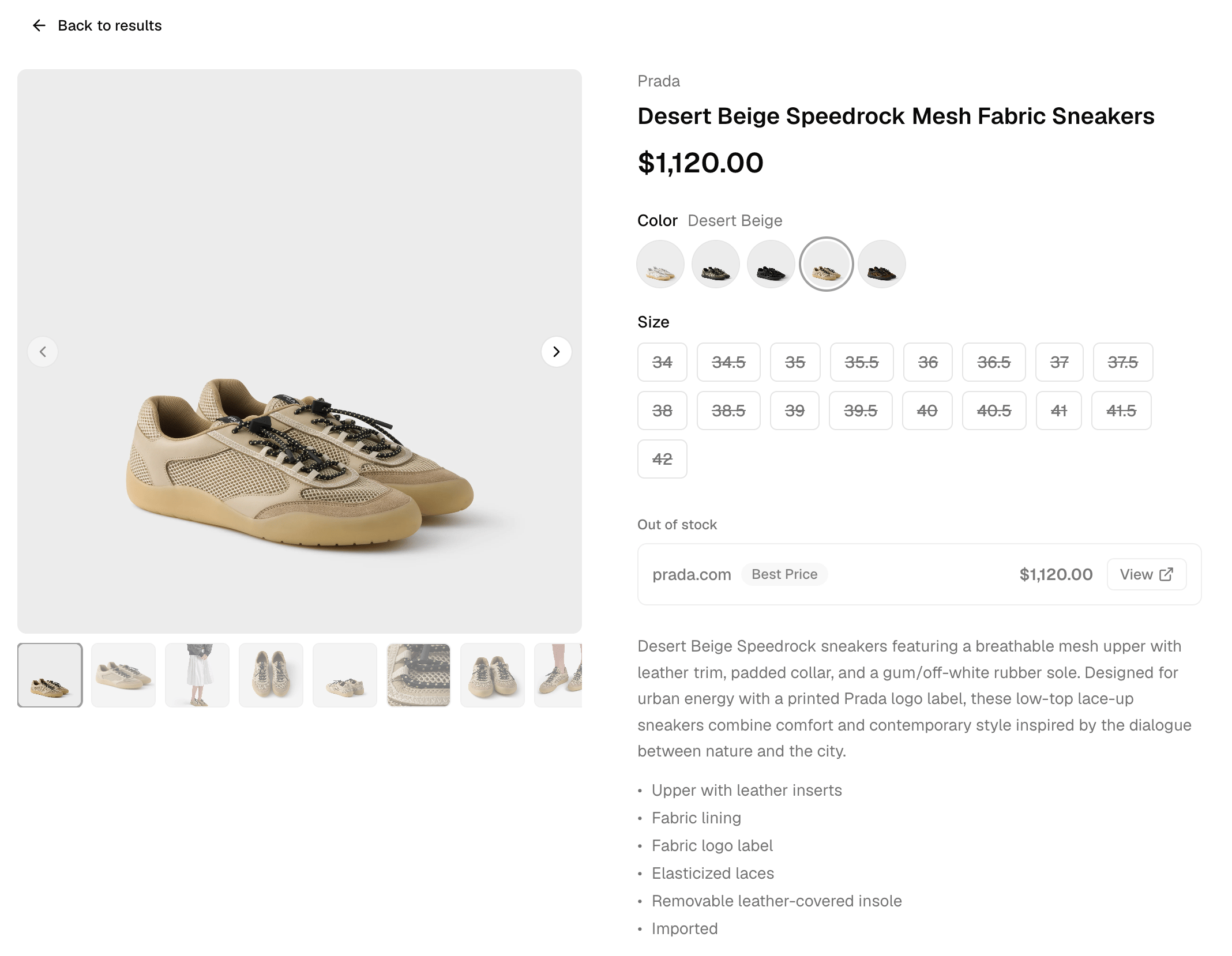
 When a user wants to dive into a search result, use `product-details`. Again, in one component, you get a PDP with variant selection, multiple offers, and similar product search, all built in.
 ## Components
The above two screenshots basically constitute an end-to-end shopping app, but they're certainly not exhaustive for our component catalog. The [full list is here](https://github.com/channel3-ai/channel3-ui#catalog), but some notable shoutouts:
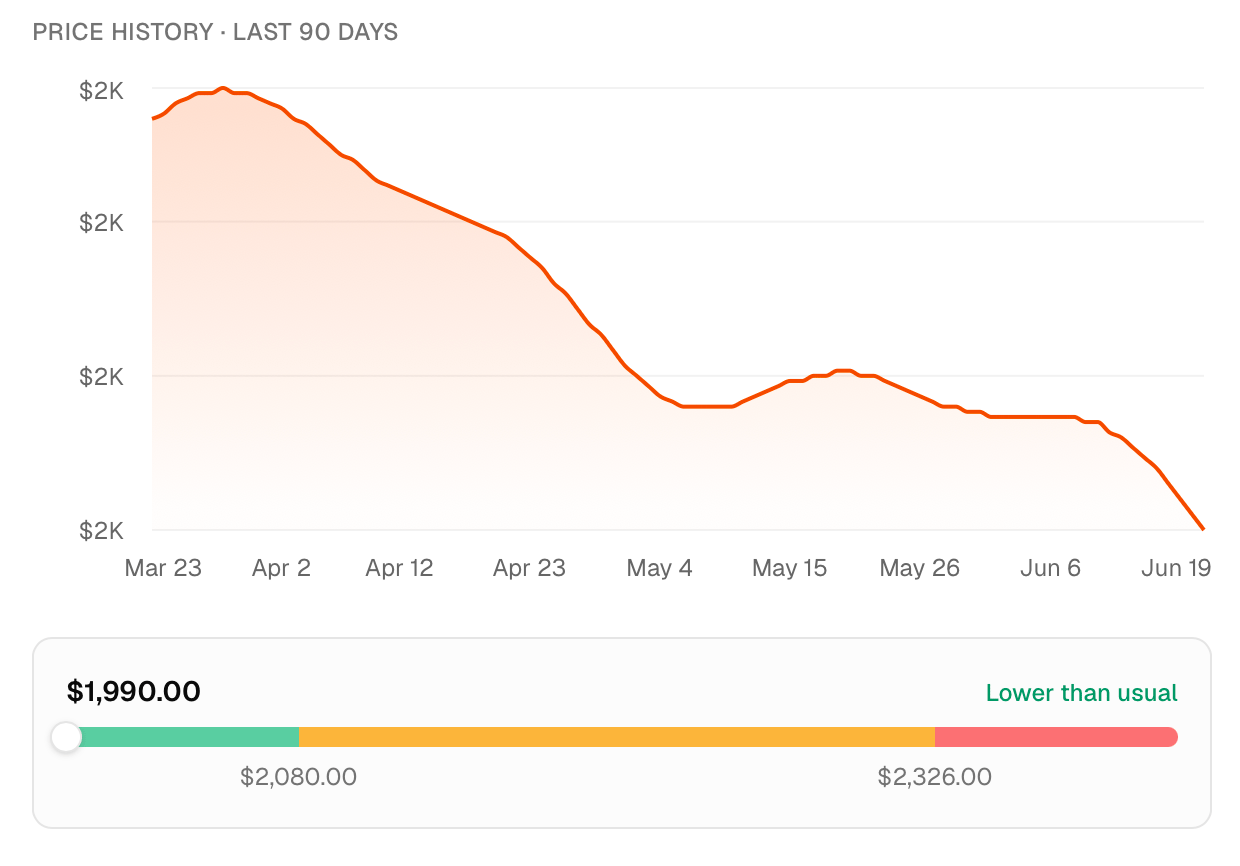
**Price history and tracking components:** there's a reason these are a staple of the best deal-finding experiences. Almost as important as surfacing *what* to buy is informing your user *when* to buy. Enhance this with our `price-tracking` webhooks to get notified the second a price drops.
## Components
The above two screenshots basically constitute an end-to-end shopping app, but they're certainly not exhaustive for our component catalog. The [full list is here](https://github.com/channel3-ai/channel3-ui#catalog), but some notable shoutouts:
**Price history and tracking components:** there's a reason these are a staple of the best deal-finding experiences. Almost as important as surfacing *what* to buy is informing your user *when* to buy. Enhance this with our `price-tracking` webhooks to get notified the second a price drops.
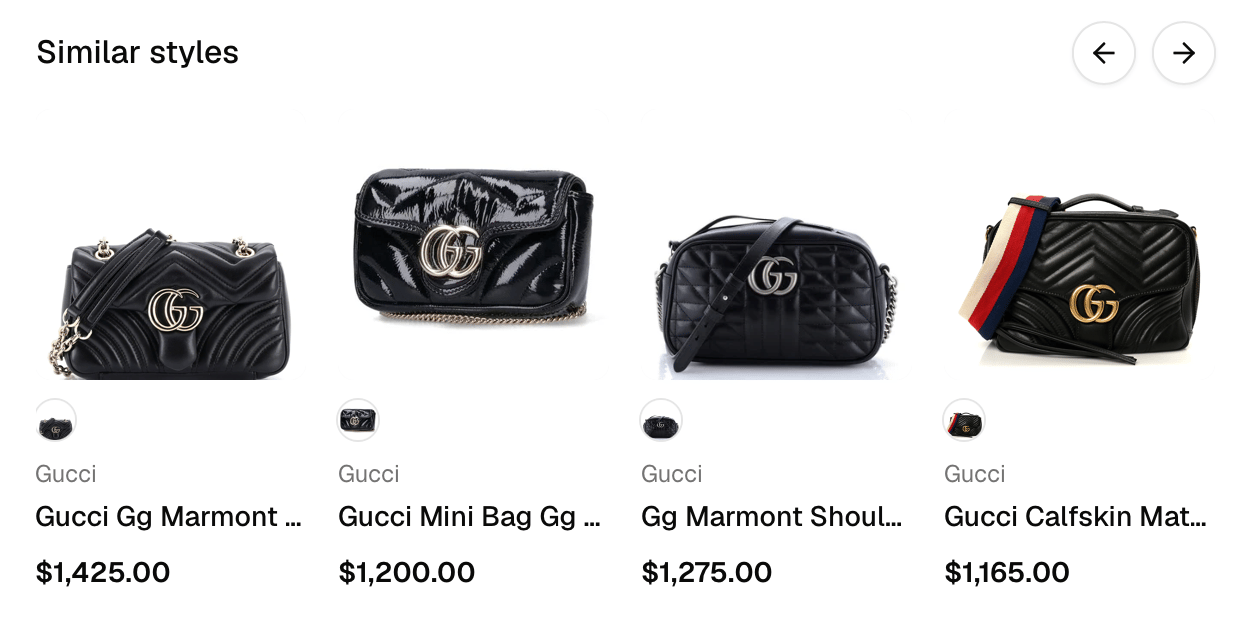
 **Similar product carousels:** a PDP almost looks empty without these. If a user is on a PDP, they're probably interested in the product itself or something like it. Capitalize on the user's intent with `/similar`.
 We're also adding more components every week, so keep your eyes on the channel3-ui repo. If you build a great component using our API, we'd love for you to contribute it back to the library.
## Hooks
A sneakily challenging part of building an e-commerce app is the UX logic. Variant selection is a nuisance to get perfectly correct. Infinite scroll is another bit of custom logic that you really want to "just work." And every async call is another loading state you have to worry about.
So, we solved that in the component library as well. For any core e-commerce business logic, we have a hook:
* Don't try to figure out variant relaxation or availability vs. existence states. Use `use-variant-selection`.
* You *could* build search filter plumbing and request orchestration yourself. Or, you could use `use-product-search`.
* Supercharge your filters with `use-async-options`, so category and brand filters are loaded snappily.
Want to build something, but we don't support your use-case? Drop a request in the [Discord](https://discord.gg/6J6MjctXrH) or hit reply and let us know.
And, as always, we love to hear what you're building!
The Channel3 Team
We're also adding more components every week, so keep your eyes on the channel3-ui repo. If you build a great component using our API, we'd love for you to contribute it back to the library.
## Hooks
A sneakily challenging part of building an e-commerce app is the UX logic. Variant selection is a nuisance to get perfectly correct. Infinite scroll is another bit of custom logic that you really want to "just work." And every async call is another loading state you have to worry about.
So, we solved that in the component library as well. For any core e-commerce business logic, we have a hook:
* Don't try to figure out variant relaxation or availability vs. existence states. Use `use-variant-selection`.
* You *could* build search filter plumbing and request orchestration yourself. Or, you could use `use-product-search`.
* Supercharge your filters with `use-async-options`, so category and brand filters are loaded snappily.
Want to build something, but we don't support your use-case? Drop a request in the [Discord](https://discord.gg/6J6MjctXrH) or hit reply and let us know.
And, as always, we love to hear what you're building!
The Channel3 Team